Research-grade,
without the enterprise contract.
Run agency-grade studies yourself: upload the questionnaire, field it and share the results, on a per-seat plan.
Agency-grade research, without the agency or the enterprise contract.
- 01 No programmer required. Upload the questionnaire, then change it by asking in plain English. See how ↓
- 02 Conjoint and MaxDiff, built in. Run choice studies, then play what-if in the market simulator. See how ↓
- 03 Share results, not files. Send stakeholders a report link, and revoke it whenever you need to. See how ↓
- 04 Passes procurement. Published per-seat pricing, ISO 27001, and your data never trains AI models. Visit the Trust Center →
Describe the study.
Review it, then field it.
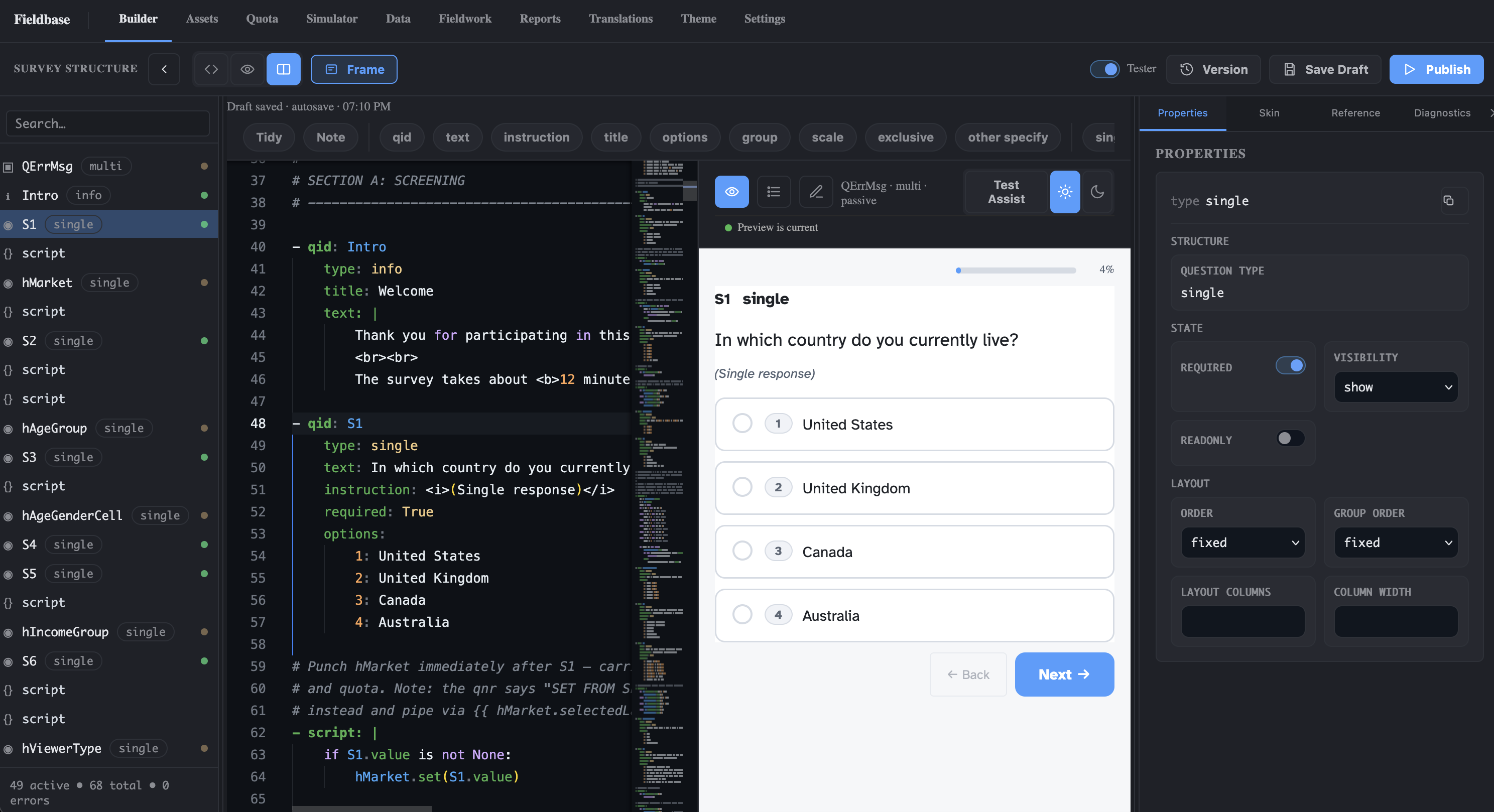
Upload last wave’s questionnaire or the brief as a Word or PDF file. The AI drafts the survey, routing included, and the preview shows it as respondents will see it. Ask for changes in plain language and accept each one when it looks right.
- Start from what you have. Last wave’s questionnaire, a brief, or a document from your agency.
- Change it by asking. “Show Q7 only to people who use the product weekly” becomes a reviewed change.
- Every market from one build. AI-drafted translations you review, in 72 languages, with codes that never change.
Conjoint and MaxDiff, built in.
No second tool, no second vendor.
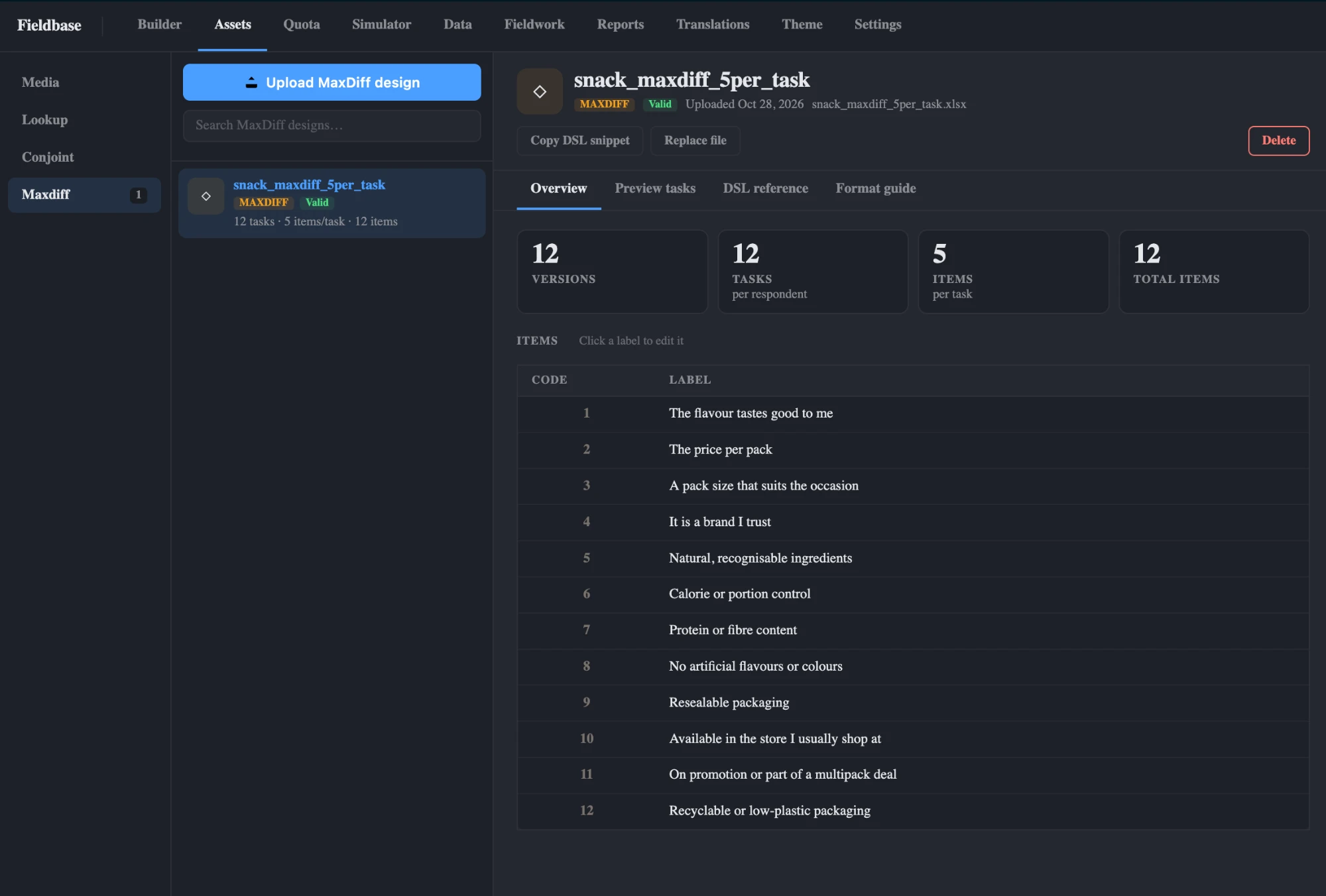
CBC and MaxDiff run inside the same survey as the rest of your questions. Upload the design file, reference it in one line and check the design before fielding. Then read counts, utilities and a market simulator in Reports.
- Analysis in Reports. Utilities, simulators and TURF, plus long-format files for your own modelling.
- Design Test before fielding. Check the uploaded design before the first respondent sees a task.
- Quotas in the same wizard. Nest as many variables as the study needs, with exact counts under load.
Share results, not files.
And hand the analyst a clean one.
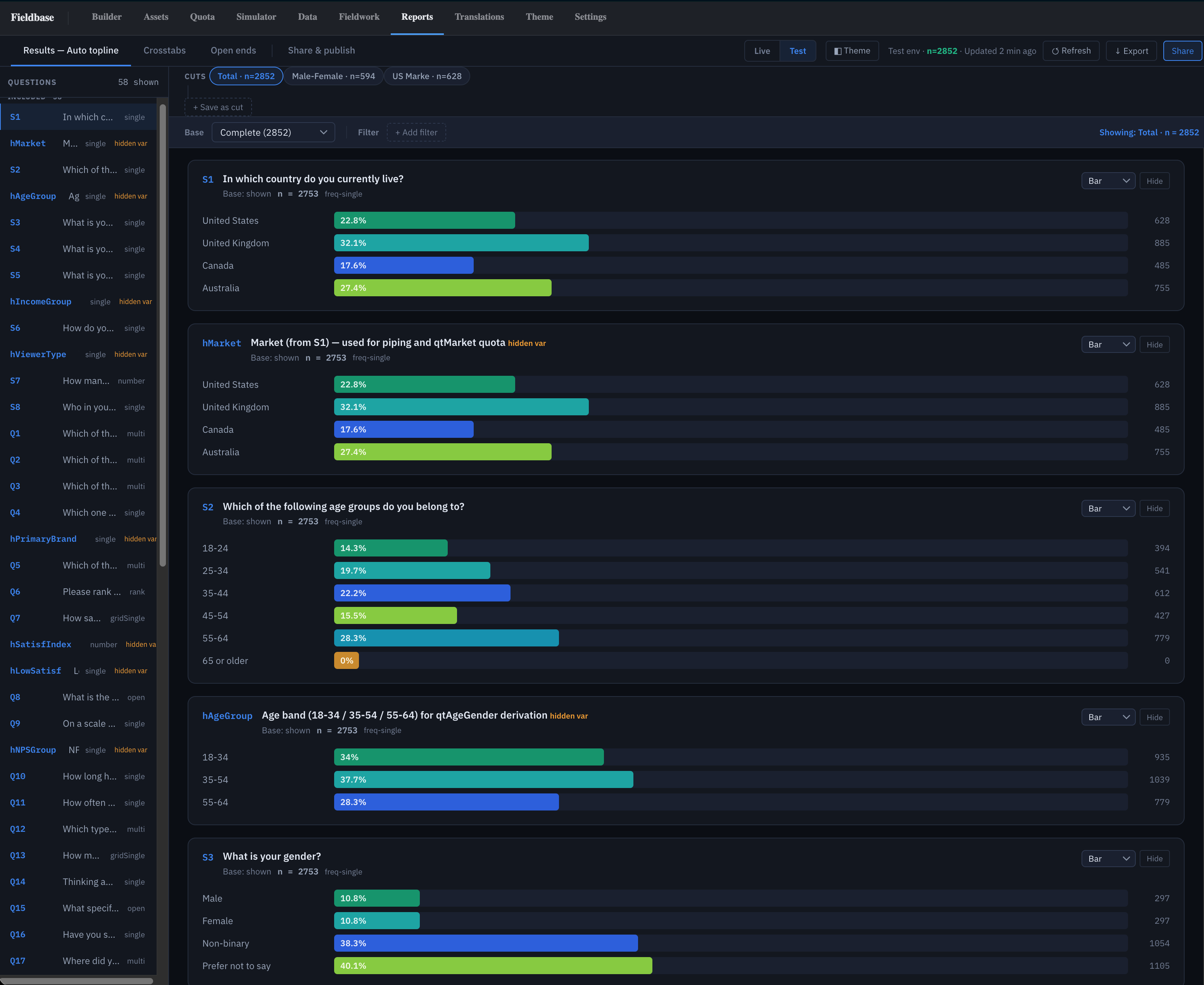
Reports read live data from the first complete. Send stakeholders a report link instead of a deck, give the analyst crosstabs with significance letters, and export an SPSS file with labels already set.
- Report links you can revoke. Stakeholders open results without a login. Revoke a link and every session it created ends.
- Topline and crosstabs. Banners built from your own questions, with column-proportions significance tests.
- Analysis-ready exports. SPSS, CSV, Excel and ASCII off one datamap.
From last wave’s questionnaire to results.
A typical first study in the Launch Cohort. We programme it with you so nobody on your team has to learn anything first.
- Day 1
Upload
Send last wave’s questionnaire. We review the AI draft together on a call.
- Day 2
Adjust
Ask for changes in plain language. Set up quotas in the wizard.
- Day 3
Test
Simulate, then send test links to stakeholders for sign-off.
- In field
Read live
Topline from the first complete. Export when field closes.
Run your next wave on Fieldbase.
Your current tool keeps running. One wave tells you whether the data and the hours are better.
- 1 Send last wave’s questionnaire
The Word or PDF document is enough. The AI builds from that.
You do this - 2 We return the Fieldbase version
With real quotas, your markets and the export layout your analyst wants.
We do this - 3 Field the wave
Same sample source as last time, so the comparison is fair.
You do this - 4 Compare the data files
Quota accuracy, cleaning time, and whether your analyst had to touch the file.
You do this
The honest answers.
We don’t have a survey programmer. Can we still use it?
Yes. The AI drafts the survey from your document and you change it by asking in plain language. In the Launch Cohort we programme your first two studies with you.
How is this different from our self-serve tool?
The logic, quotas and methods are built for market research: interlocked quotas with exact counts, scripted routing, CBC and MaxDiff, and SPSS-ready exports. It is still a web app your team uses directly.
Do we need an annual contract?
No. Team is $169 per user per month for up to 25 users, with 125,000 responses a year included. Annual billing is cheaper; cohort members keep their price for 24 months.
Where is our data hosted?
In the US (San Francisco) today, with an EU region in Frankfurt coming soon. Questionnaires and responses are not used to train AI models.
Can stakeholders see results without a login?
Yes. Share a report link from the project. You can revoke it at any time and every session it created expires.
Don’t take the page’s word for it.
Run your next three projects free.
Up to 5,000 completes over 90 days, hosted in the US (EU coming soon). We programme the first two questionnaires with you; you programme the third with the AI. At day 60 we talk about staying, with a 24-month price lock.