Export the way the
analyst asked for.
Four file formats off one canonical data model. Companion long CSVs for CBC and MaxDiff. Partial exports with date, row-count, and variable filters. Re-downloadable history for every file.
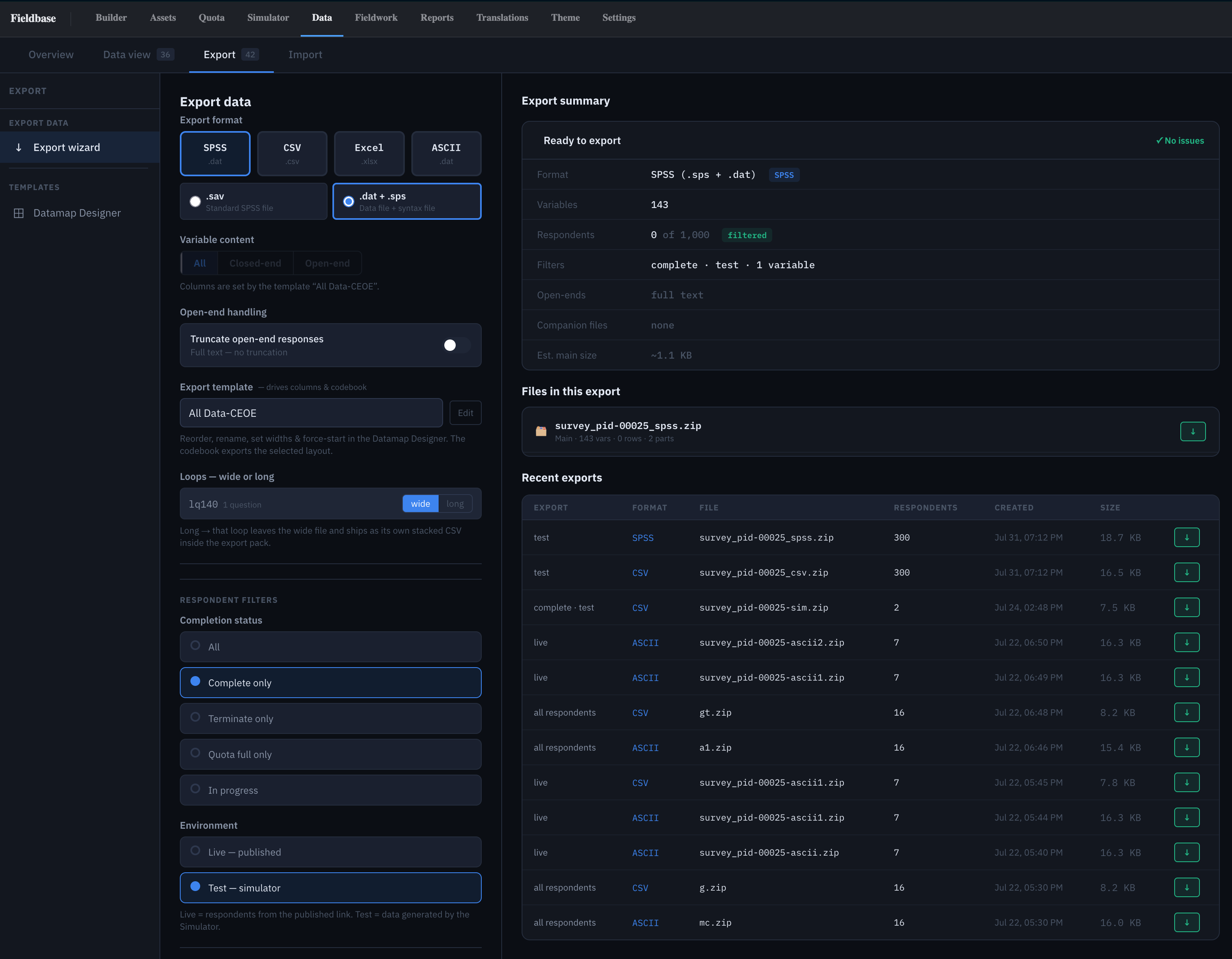
The Export wizard
Every option in one view — Format, Variable content, Template, Status, Environment, Advanced. A live summary panel shows exactly what will ship before you click Export: format, variable count, respondent count, open-end handling, companion files, estimated size.
Recent exports list below the summary — one-click re-download. See Export history.
Four file formats
Four formats off one canonical model:
- SPSS —
.savbinary or.dat + .spspair (fixed-width + syntax file). PSPP-verified on every build. - CSV — UTF-8 with BOM, camelCase headers. Opens cleanly in Excel, R, Python, Stata.
- Excel —
.xlsxwith proper type hints — numbers stay numbers, dates stay dates. - ASCII — fixed-width column layout, industry-standard for legacy processing pipelines.
Numbers reconcile across formats — same rows, different packaging.
Variable content
Three presets for what goes in the file:
- All — every variable in the datamap.
- Closed-end — numerics, singles, multis, grids, scales.
- Open-end — free text and
otherSpecifycolumns only.
Open-end truncation toggles in Advanced (255-char default, configurable). Keeps SPSS variables under the long-string threshold.
Export templates
A saved column layout + filter + prefix-labels state. Every export off a template ships column-identical — the right unit for a tracker.
Picking a template loads the Datamap Designer side-by-side in the wizard; edit in place without leaving. Templates are created and managed in the Datamap Designer tab — see Templates →.
Companion long CSVs
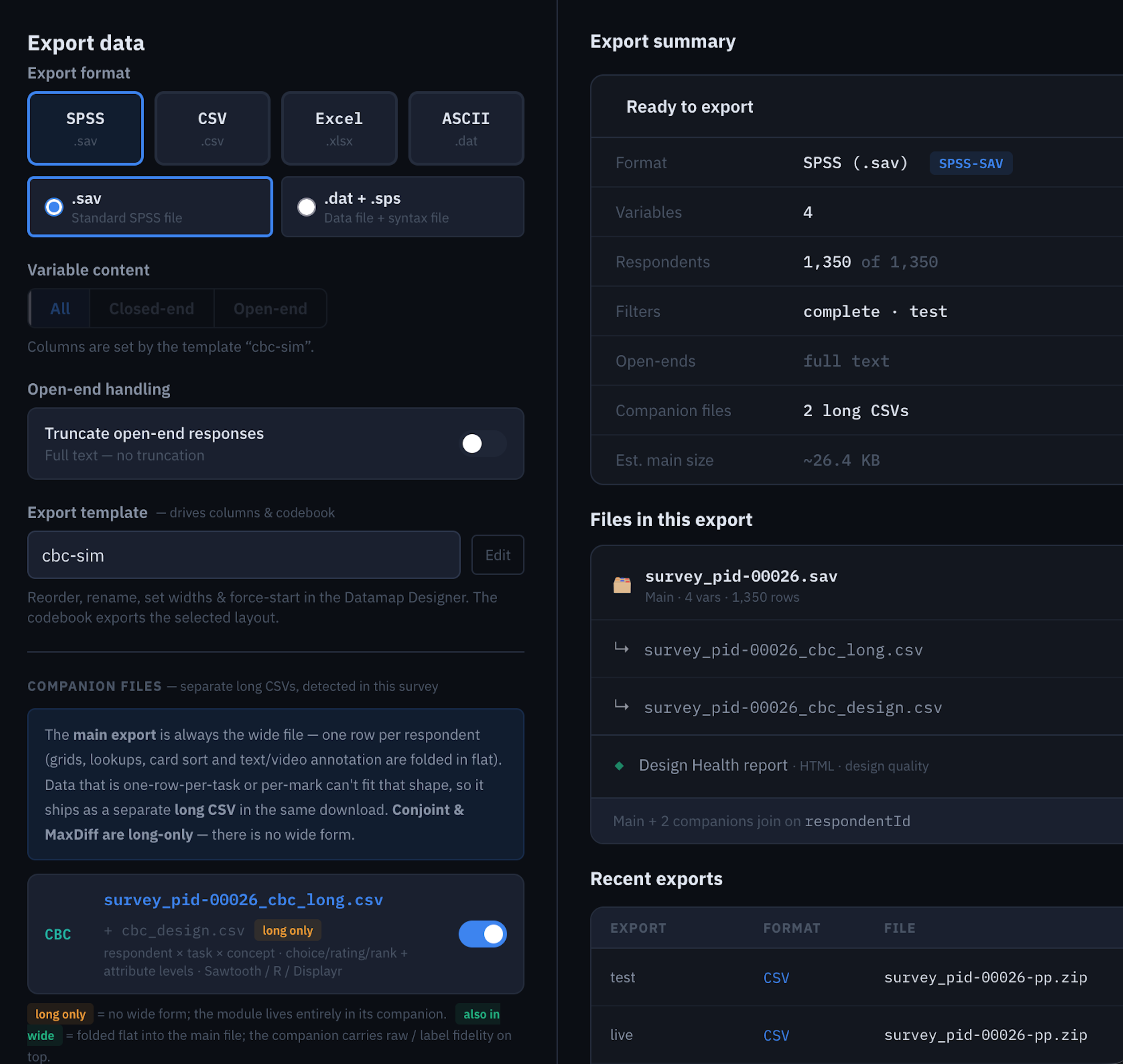
The main export is always the wide file — one row per respondent, grids and lookups and card-sort and annotation folded in flat. Per-task and per-mark data ships as separate long CSVs in the same download pack:
cbc_long— one row per respondent × task × concept with choice/rating/rank response.maxdiff_long— one row per respondent × task × item with best/worst flags.cardsort_long— one row per card placement.annotation_long— one row per heatmap mark, text span, or video reaction.
Conjoint and MaxDiff are long-only — no wide form,
the shape doesn't fit. CBC ships with a cbc_design.csv
companion (for re-running utilities in Sawtooth or R) and a
Design Health HTML report in the same pack.
Partial exports
Three subset modes, stackable:
- All data — the current filter set, no row-count cap.
- By date range — bound the export to a response window.
- By row count — first N rows of the current filter.
Plus a repeatable variable filter —
where [field] [operator] [value], AND-ed
together:
status   = complete
hExport  = 1
hRegion  in (1, 2, 3)
S4       >= 25
Filters run at export time against the live data — no new variable, no republish.
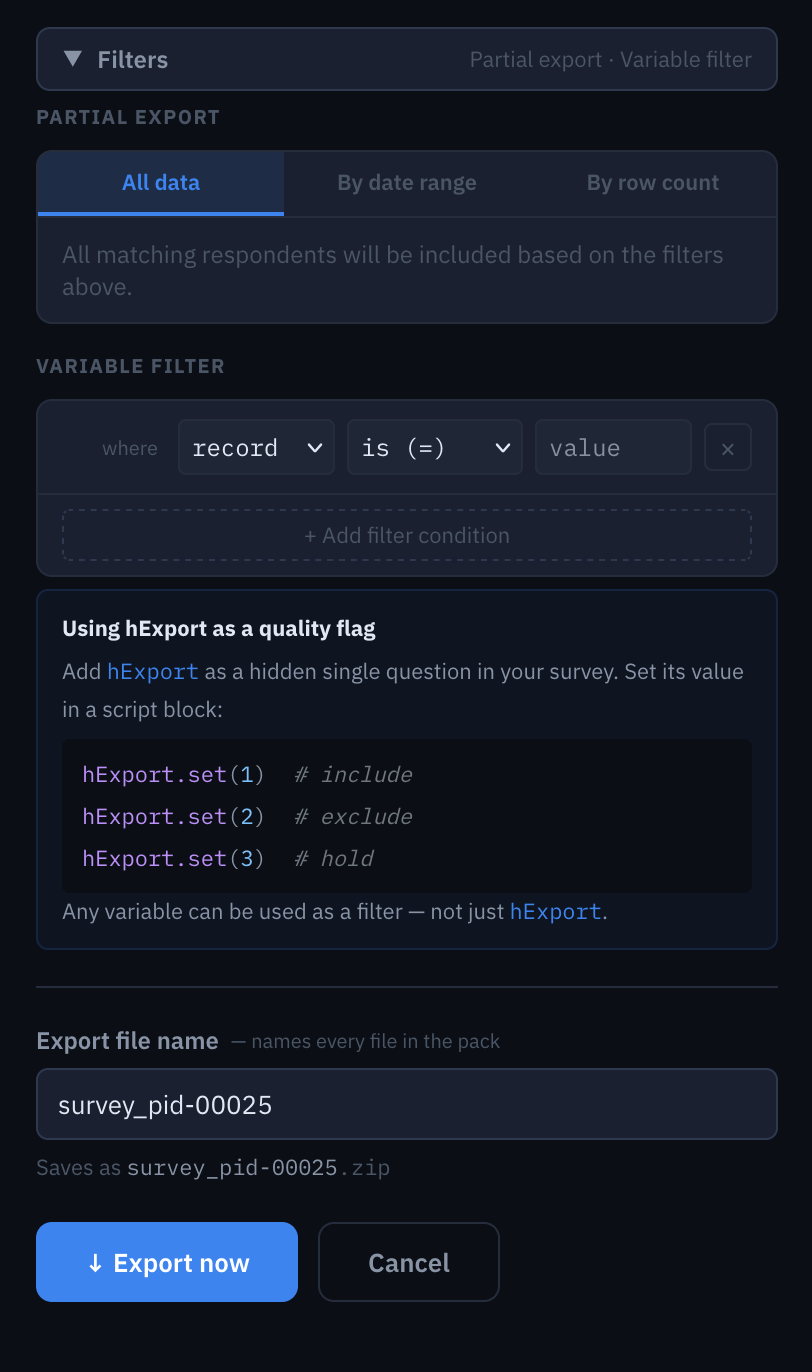
hExport as a quality flaghExport as a hidden single-code with values
1–3, set from a script block: .set(1) include
· .set(2) exclude · .set(3) hold.
Filter every export to hExport = 1. When
the quality logic changes, re-run the script and re-export; the
next cut picks up the new calls.
Test & Live
The Export wizard reads either environment via ?env=:
- Live (default) — published-link respondents from the main DB.
- Test — Simulator respondents, materialized in real respondent shape so the same export engine runs unchanged.
Byte-identical for shared columns — the file you QA against sim data is the file your client downloads at close-of-field.
Every export logged
Recent exports table on the right of the wizard: format · file · respondents · created-at · size, with a download arrow on every row. Re-download any past export in one click, no regeneration.
Doubles as an audit trail (who exported what, when, against which
cut). Files stored under survey_export_jobs — survive
project renames, respondent recounts, template edits.