Catch problems before
you field.
Pressure-test your survey against the real engine before a single panellist sees it. Quotas, routing, exports — all verified cheaply, in a fully isolated test environment.
What the simulator solves
Four classes of launch-day bug, verified cheaply against the real engine:
- Quota over-shoot — concurrent completes hitting a cell past its target.
- Broken routing — every meaningful respondent type exercised, not just a hand-clicked few.
- Unreachable segments — target cells that no respondent path can actually hit.
- Export surprises — the analyst's day-one view, verified today.
Two run modes
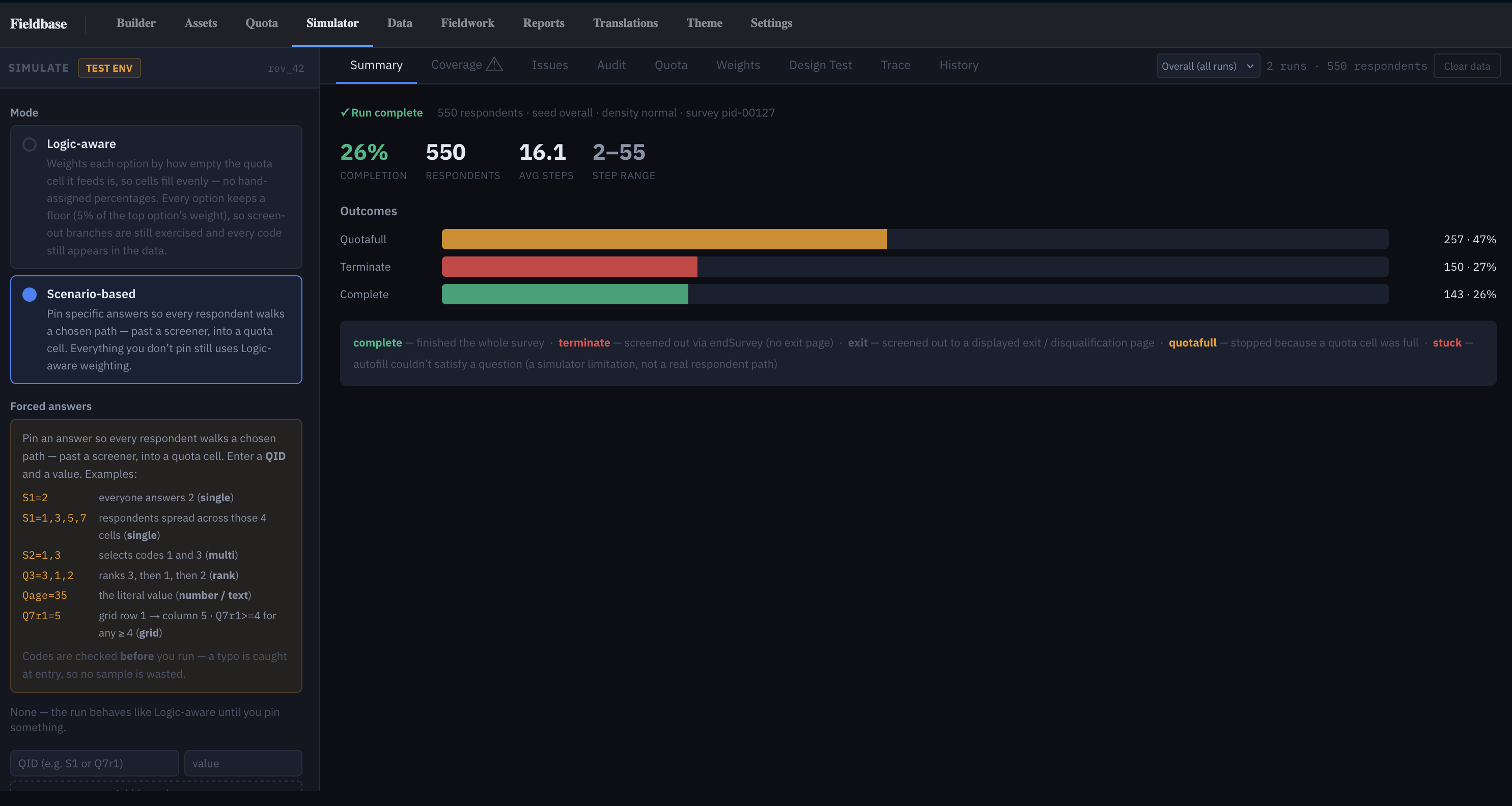
Logic-aware — does the routing work
Draws respect every if: condition, skip pattern,
and cross-question dependency. Options are weighted by how
empty the quota cell they feed is, so cells fill evenly without
hand-tuned percentages — but every option keeps a floor so
screen-out branches still get exercised.
Scenario — reach a specific segment
Pin specific answers to specific questions and verify how many respondents reach a target segment or quota cell. Everything you don't pin still uses logic-aware weighting. Pins are checked against declared options before anything runs — no phantom answers, no silent fallbacks.
The reports you get back
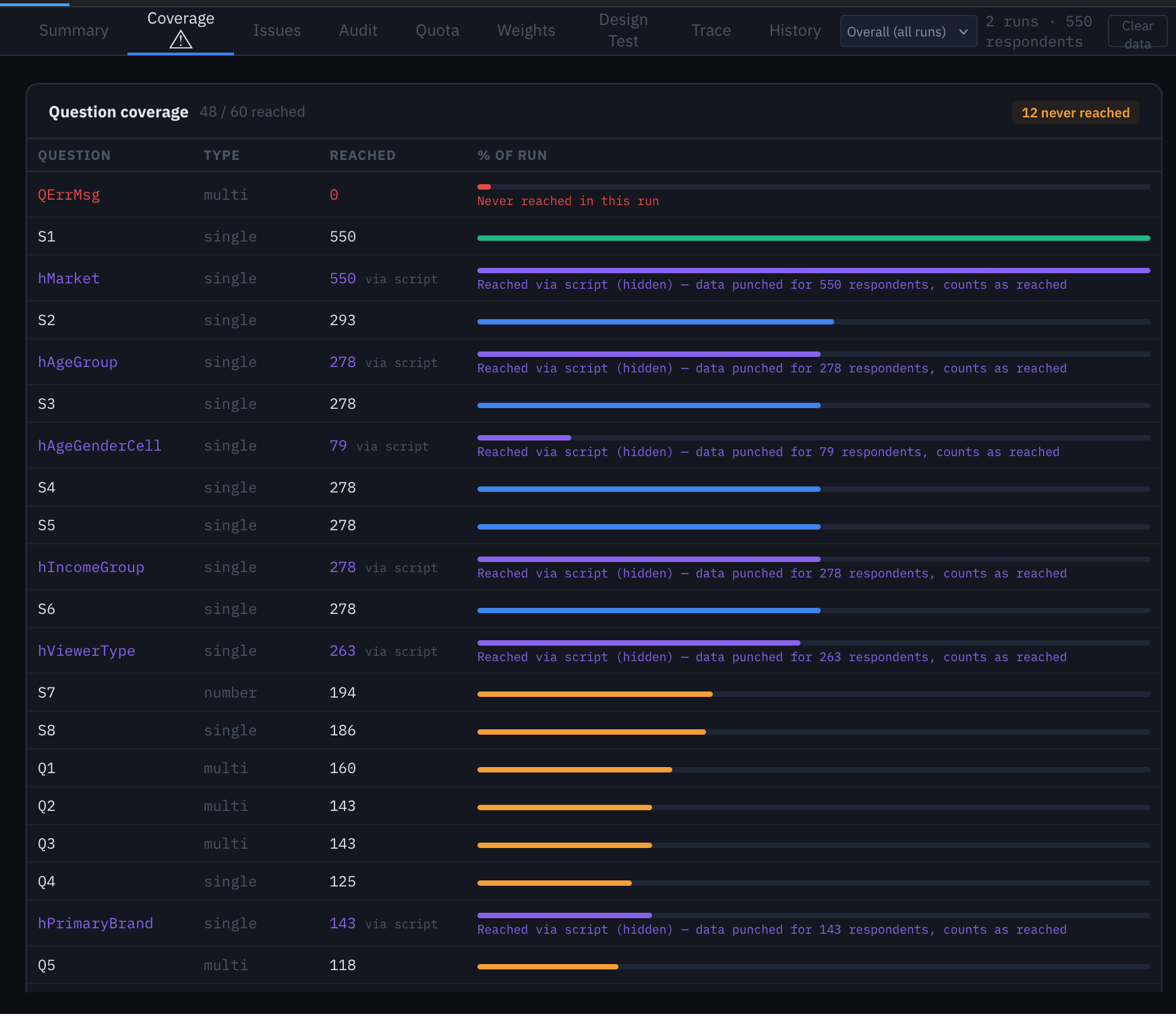
Six linked reports per run:
Test safely — zero risk to live data
Simulator respondents live in a separate test database. A sim run physically cannot touch live data; a live export physically cannot pull in sim respondents. Safe to run against a live-fielding survey.
For quotas, the simulator fires parallel completes against the real quota-engine locks and verifies cells hit target exactly — not a mocked lock, the actual production path.
See the exports before you field
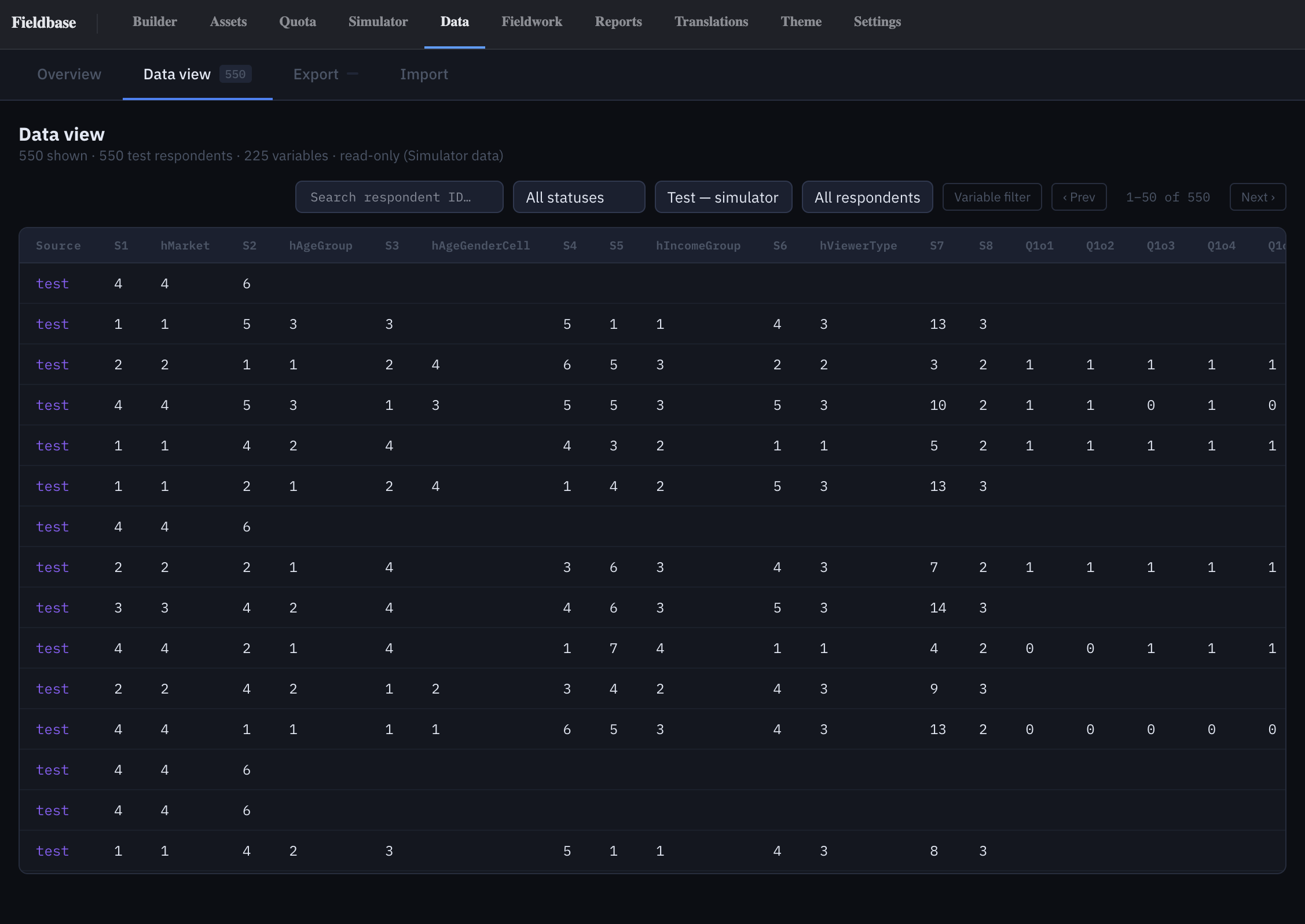
Every sim run lands in a Test environment that the Export wizard
and Reports read via ?env=test. Same analysis surface
the analyst uses after launch, pointed at sim data — download the
CSV, open the SPSS .sav, preview the datamap, run a
crosstab.
For CBC and MaxDiff pre-fielding analysis — Design Health and Precision scorecards, D-efficiency, implied-N — see Choice modeling →